How to Buy Hosting, Install WordPress, and Earn Money with Cashtly Affiliate Program
Starting an online business has become easier than ever before. Whether you want to launch a blog, create an online store, start affiliate marketing, or build a business website, having reliable hosting and a professional website is the first step toward success. One of the most popular hosting providers for beginners and professionals is Hostinger because of its affordable pricing, fast speed, and beginner-friendly setup.
In this guide, you will learn:
- How to buy a 4-year hosting plan
- How to choose the perfect domain name
- How to install WordPress
- How to create a website
- How to earn money using the Cashtly Affiliate Program
🚀 Why Choose Hostinger Hosting?
Choosing the right hosting provider is extremely important for your website’s performance and growth. Hostinger is popular among bloggers, affiliate marketers, eCommerce owners, and small businesses because it provides powerful features at affordable prices.
✅ Benefits of Hostinger Hosting
⚡ Fast Website Speed
Fast loading websites improve:
- User experience
- Google rankings
- Conversion rates
- Customer satisfaction
🔒 Free SSL Security
SSL certificates protect your website and display the secure HTTPS lock icon in browsers.
💻 Beginner-Friendly Dashboard
Hostinger offers an easy control panel suitable for beginners with one-click WordPress installation.
🌍 Free Domain Name
Most long-term hosting plans include a free domain for the first year.
📱 Mobile-Friendly Hosting
Websites hosted on Hostinger work smoothly on both desktop and mobile devices.
☁️ Reliable Uptime
Your website stays online most of the time without interruptions.
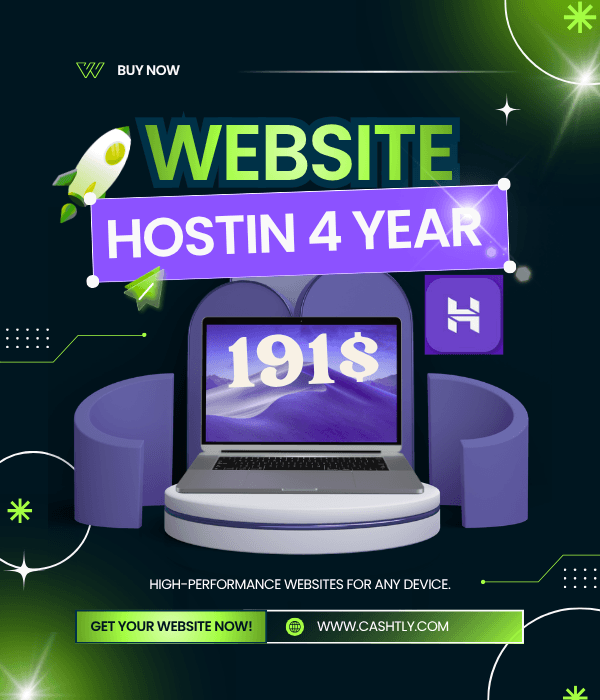
🛒 How to Buy Hostinger 4-Year Hosting Plan
Buying hosting is simple even for beginners.
Step 1 — Visit Hostinger Website
Go to:
Step 2 — Select a Hosting Plan
Hostinger offers several hosting packages.
Popular choices include:
- Single Web Hosting
- Premium Web Hosting
- Business Web Hosting
For beginners and online stores, the Premium or Business plan is recommended because they include:
- Better speed
- More storage
- Free domain
- Multiple websites
- Better performance
Step 3 — Choose 48-Month (4-Year) Plan
Select the 48-month plan to get:
- Maximum discount
- Lower monthly cost
- Free domain benefits
- Long-term stability
Longer plans save more money compared to monthly payments.
Step 4 — Create Your Account
Sign up using:
- Email address
- Google account
- Facebook account
Step 5 — Choose Your Domain Name
Your domain is your website address.
Examples:
- yourbrand.com
- fashionstore.pk
- cashtlyshop.com
Choose a domain that:
- Is easy to remember
- Matches your business
- Looks professional
- Is short and simple
🌐 How to Select the Best Domain Name
A good domain creates trust and branding.
✅ Tips for Choosing a Domain
✔ Keep It Short
Short domains are easier to remember.
✔ Use Keywords
If possible, include your niche.
Example:
- fashionhub.com
- bagstore.pk
✔ Avoid Numbers & Hyphens
They confuse users and reduce professionalism.
✔ Choose Popular Extensions
Recommended:
- .com
- .pk
- .net
- .store
💻 How to Install WordPress
After purchasing hosting and domain, you can install WordPress easily.
Step 1 — Login to Hostinger Dashboard
Open your hosting account panel.
Step 2 — Find Auto Installer
Inside the dashboard:
- Click “Websites”
- Choose your domain
- Open “Auto Installer”
Step 3 — Select WordPres
WordPress Tutorial for Beginners 2026 | Build Your First Website (Step-by-Step) How to create a WordPress website – Full Step-by-Step Guide (2026) How to Build a Website with WordPress (COMPLETE Tutorial) hostinger hosting, hostinger, hostinger web hosting, hostinger vps hosting, hostinger ai, hostinger ia, hostinger vps, hostinger hosting plans, website hosting hostinger, hostinger deal, hostinger 2025, hostinger 2026, avis hostinger, hostinger avis, hostinger hosting review, hostinger shared hosting, vps hosting setup hostinger, hostinger website hosting, hostinger hosting reviews, hostinger plans, hostinger guide, curso hostinger, hostinger login, hostinger price, hostinger setup, hostinger offer, Cashtly, Cashtly1, cashtly home, cashtly trends cashtly . com, cashtly store, cashtlycom, abaidjaan, abaidjaancom, abaidjaan .com, Kuwait, kuwaitjaan, cashtly store, cashtly affiliate, how to sell on cashtly, cashtly seller account, sell property on cashtly, cashtly seller dashboard, cashtly registration guide, cashtlycom, cashtlyshop, cashtly. com, cashtlychat, cashtly. shop, cashtlystore, cashtlychatroom, cashtly earn, cashtly earn money, cashtly cash, cashtly watch, cashtly spin, arshad ideas, arshad, cashtly arshad, arshad cashtly, kuwaitjaan .com, kuwaitjaancom, abaidjaantemu, abaidjaan temu, abaid jaan temu, property, CASHTLY .shop, cashtlyshop .com cashtly home, Lahore, Islamabad, temu, temu affiliates, usa, online, hajj, hajj 2026, hajj2026, cashlee, cash tly, cashtly Kuwait, cashtly bayan, cashtlybayan, bayan, Kuwait,cashtlyshop, cashtly shop, cashtly shop tiktok, cashtlykuwaitshop, product-category, cashtly shop islam, Cashtlyshopislam, cashtlyshop islam, bagmart, bag, bagmartonline, bagmart. online, arshad idea, arshad cashtly, arshad, idea arshad, arshadidea, cashtly idea, arshad idea, pak army,